What Priya does
A co-working space: hot desks, parking, and two offices for meetings.
Priya runs Northlight Works: thirty hot desks in one big room, six parking spaces out the back, and two offices that people book by the hour for meetings. It is open eight in the morning to eight at night on weekdays.
Nobody has their own desk. A member books “a desk” for the day and sits wherever is free, and the same goes for parking. Some drop in now and then and pay for what they use, like Kit. Some come two days a week on a monthly plan, like Lola. Some are there every day, like Sam, on a plan that covers a desk and a parking space whenever they want them. Everyone gets one statement a month.
What she charges
| What is booked | Drop-ins | Members |
|---|---|---|
| A desk for the day | £20 | £15 |
| A desk for the morning | £12 | £10 |
| A parking space for the day | £5 | £5 |
| An office, for a meeting | £15 an hour | £15 an hour |
| Two days a week | Not offered | £50 a month |
| Full time: a desk and a space every day | Not offered | £300 a month |
The words on this page
| Word | What it is | What it does | Why it is useful |
|---|---|---|---|
| Resource | Anything people book. For Priya, each desk, each parking space and each office. | Gives each one its own diary, so nobody can double-book it. | Everything else is built on your resources. |
| Group | Resources someone can have only one of at a time. | Lets someone book things from different groups together. | A member can have a desk, a parking space and an office at once. |
| Interchangeable | A group where any one will do. | Members book “a desk” and I pick a free one. | Nobody hunts for a free desk, and Priya never manages who sits where. |
| Rate card | A price list. | Sets what each resource costs for the people on it. | Drop-ins and members pay different prices for the same desk. |
| Default card | The price list everyone starts on. | Every new member is put on it automatically. | For Priya, it is the drop-in price. |
| Price (the app's Add product) | One way of paying: a full day, a morning, or by the hour. | Tells me what to charge, and shows the member before they book. | A desk can be sold by the day and by the morning, and I pick whichever fits. |
| Membership plan | A monthly fee that includes so many bookings. | Covers those at £0 and charges anything more at the normal price. | Steady income for Priya, and members who keep coming back. |
| Member | Someone who books. | Puts their name on their bookings, and their bookings on one bill. | I know who is in, and they book from their own phone. |
| Statement | A member's bill for the month. | Lists their bookings, what their plan covered, and the total. | One bill a month, and nobody chased. |
The order, every time: the resources, then their prices, then, only if you need them, groups, more rate cards and plans. Then your members, and each person onto their price list and plan. Members are part of setting up, not something for later. The longer story is inHow pricing works (bookwithdoris.com/guides/how-pricing-works).
Step 1
Opening hours, and how people book.
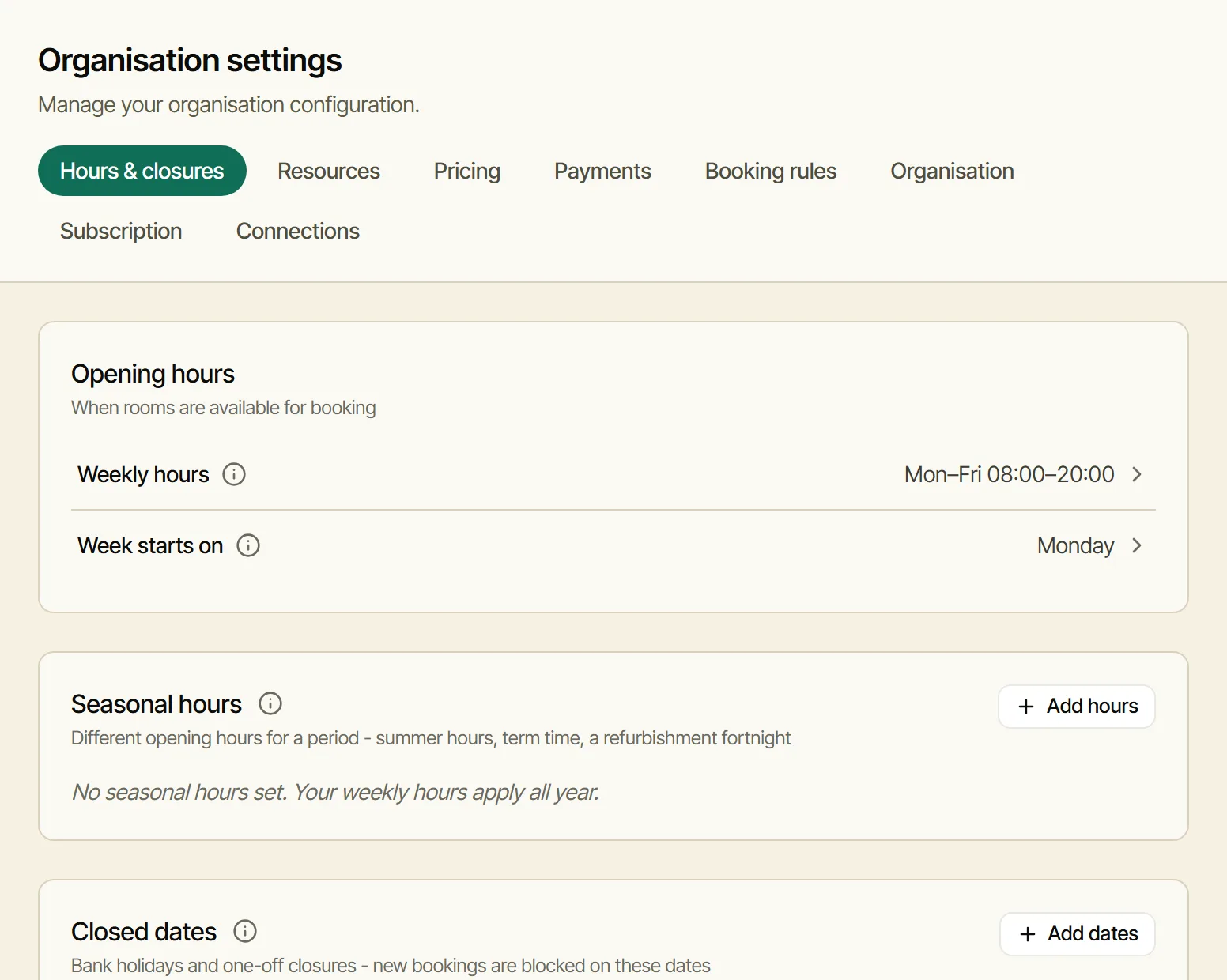
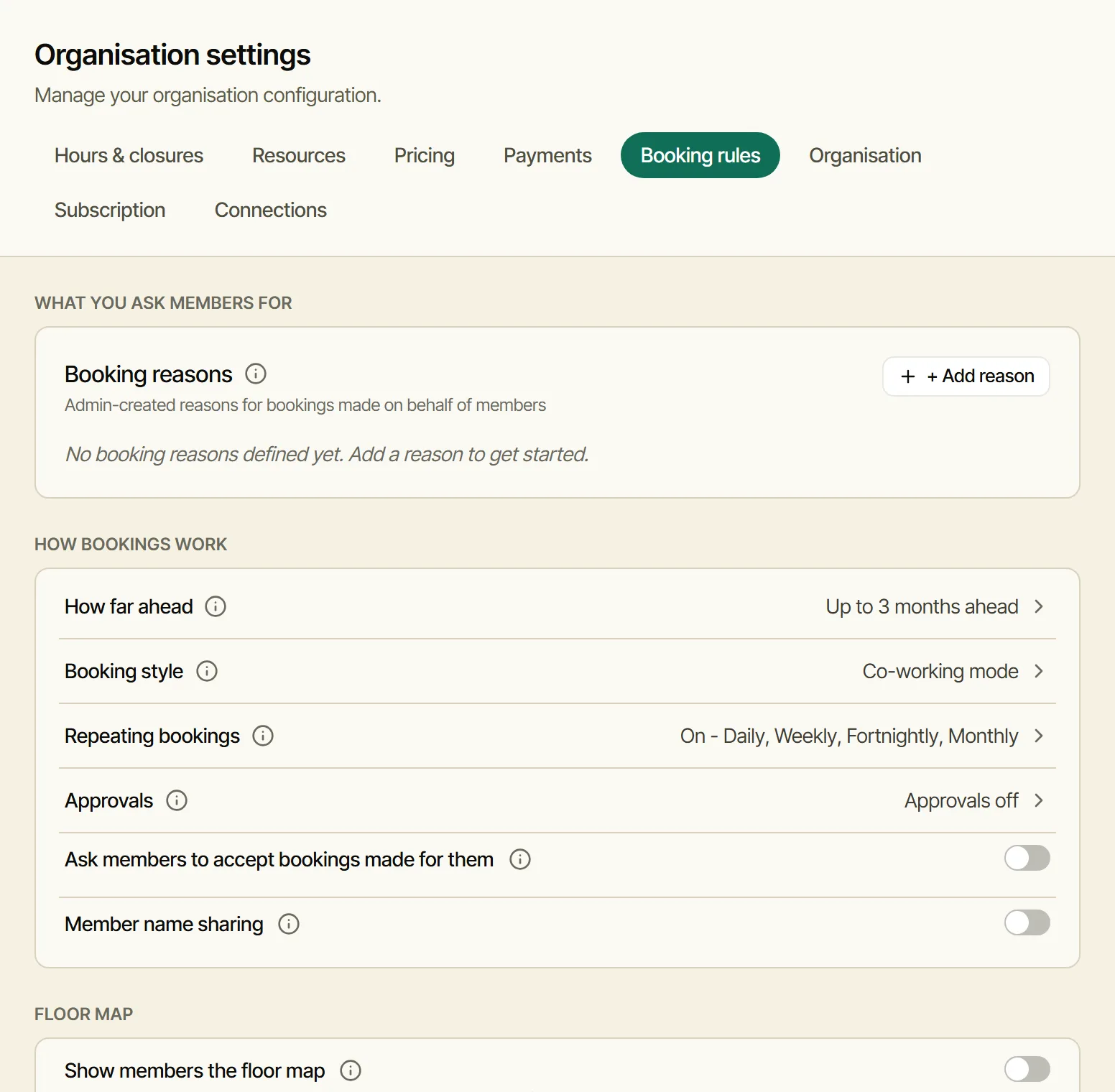
Where: Settings, Hours & closures: eight till eight on weekdays. Settings, Booking rules, Booking style: Co-working mode, so members book a desk for a day or a morning, and an office by the hour.
Step 2
The desks, the parking and the offices.
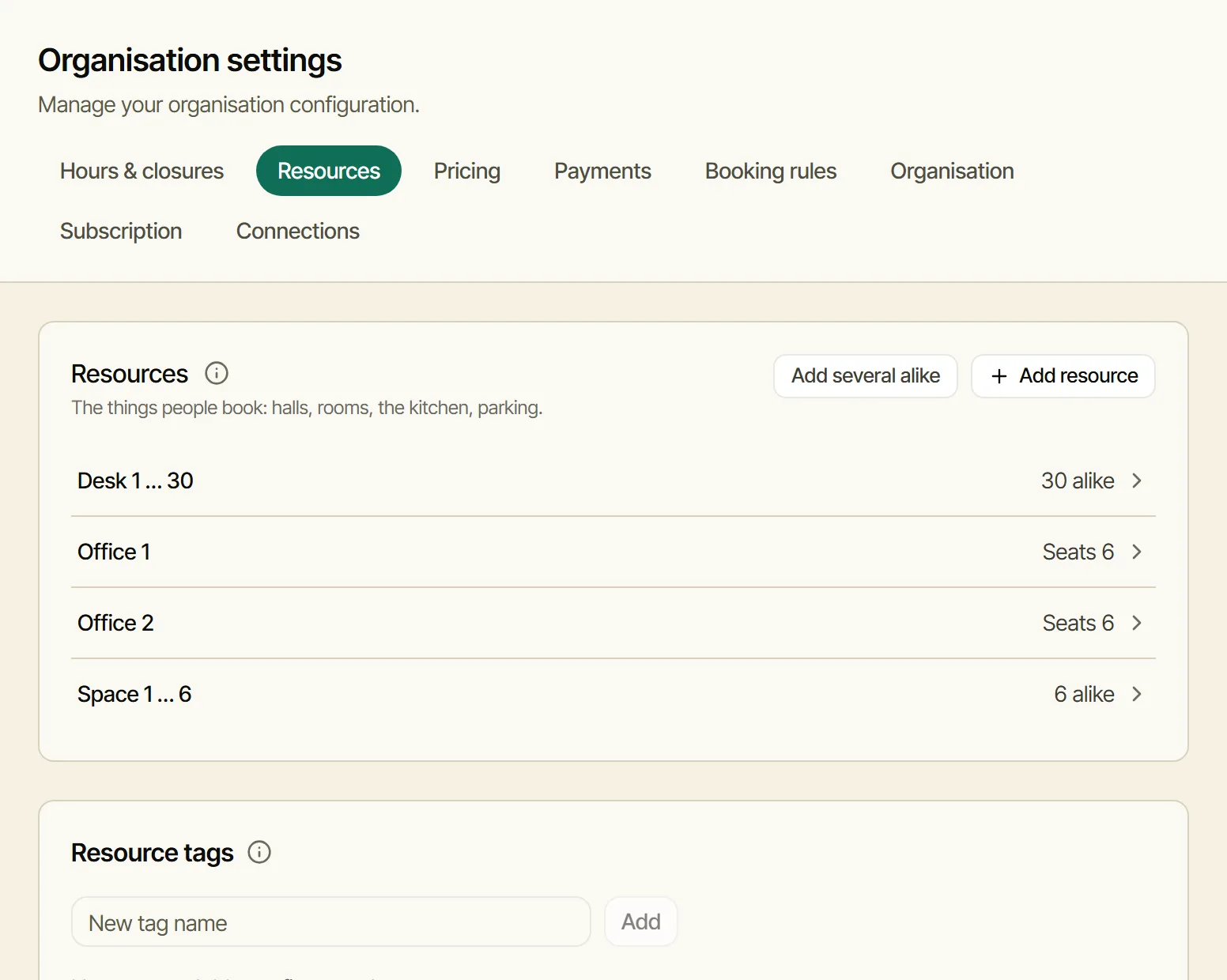
Where: Settings, Resources. Add several alike makes Desk 1 to Desk 30 in one go, and again Space 1 to Space 6. Add resource adds Office 1 and Office 2.
Step 3
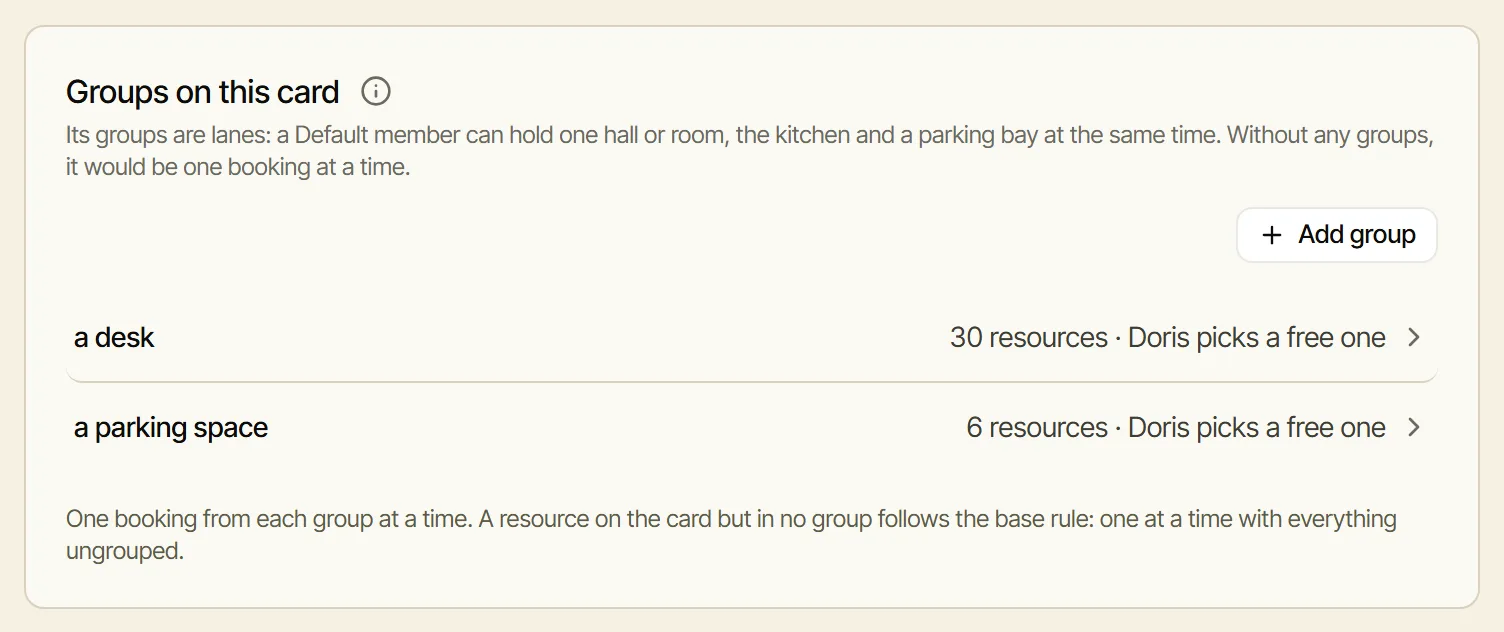
Two groups: a desk, and a parking space.
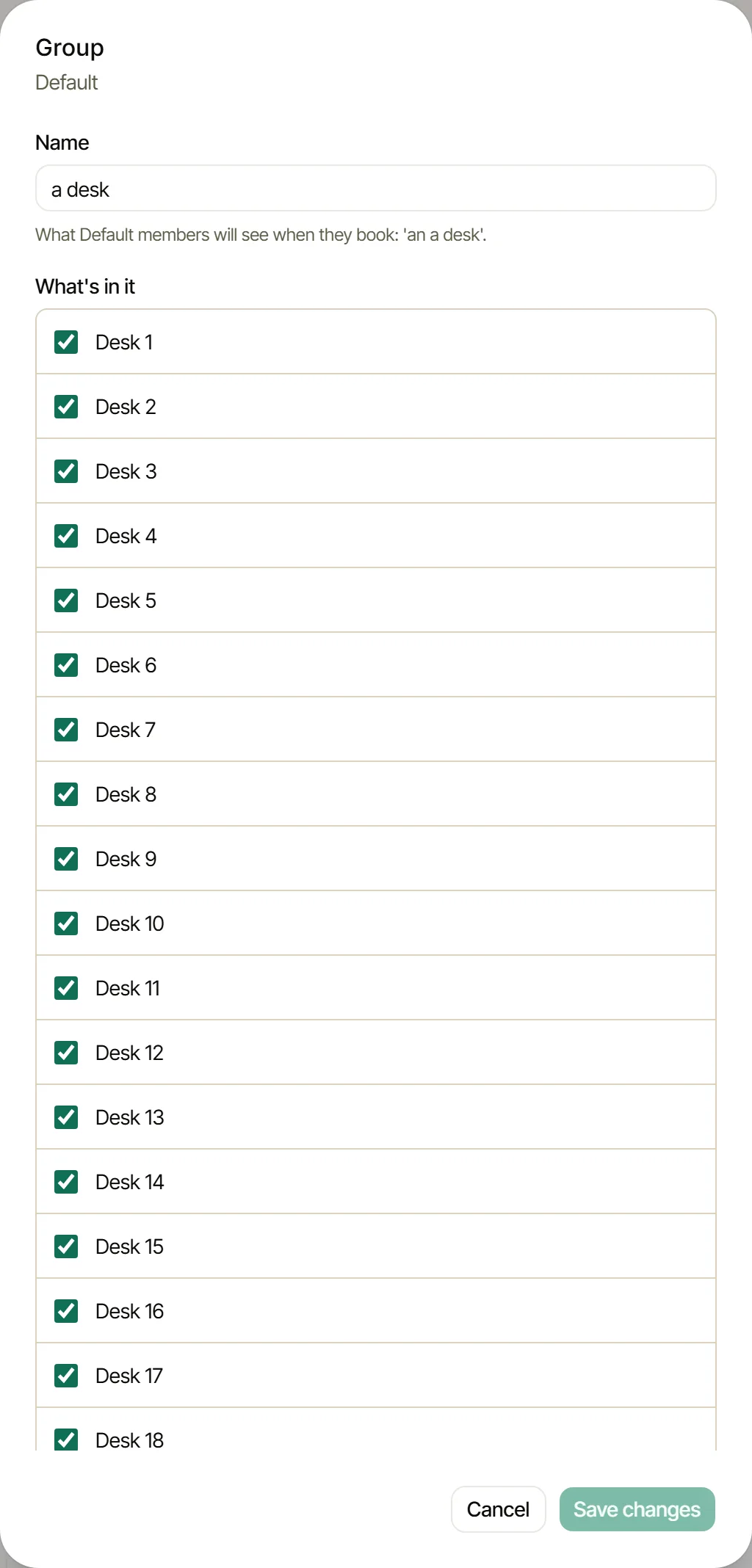
Why: two things at once. Without groups, a member could hold only one booking at a time, so a desk and a parking space on the same day would clash. And any desk will do, so each group is interchangeable: members book “a desk”, and I pick a free one.
Where: Settings, Pricing, Groups on this card, Add group: “a desk”, with all thirty desks ticked and Interchangeable on; then “a parking space” the same way. The offices stay out of any group, so a member can hold a desk, a space and an office at once.
Step 4
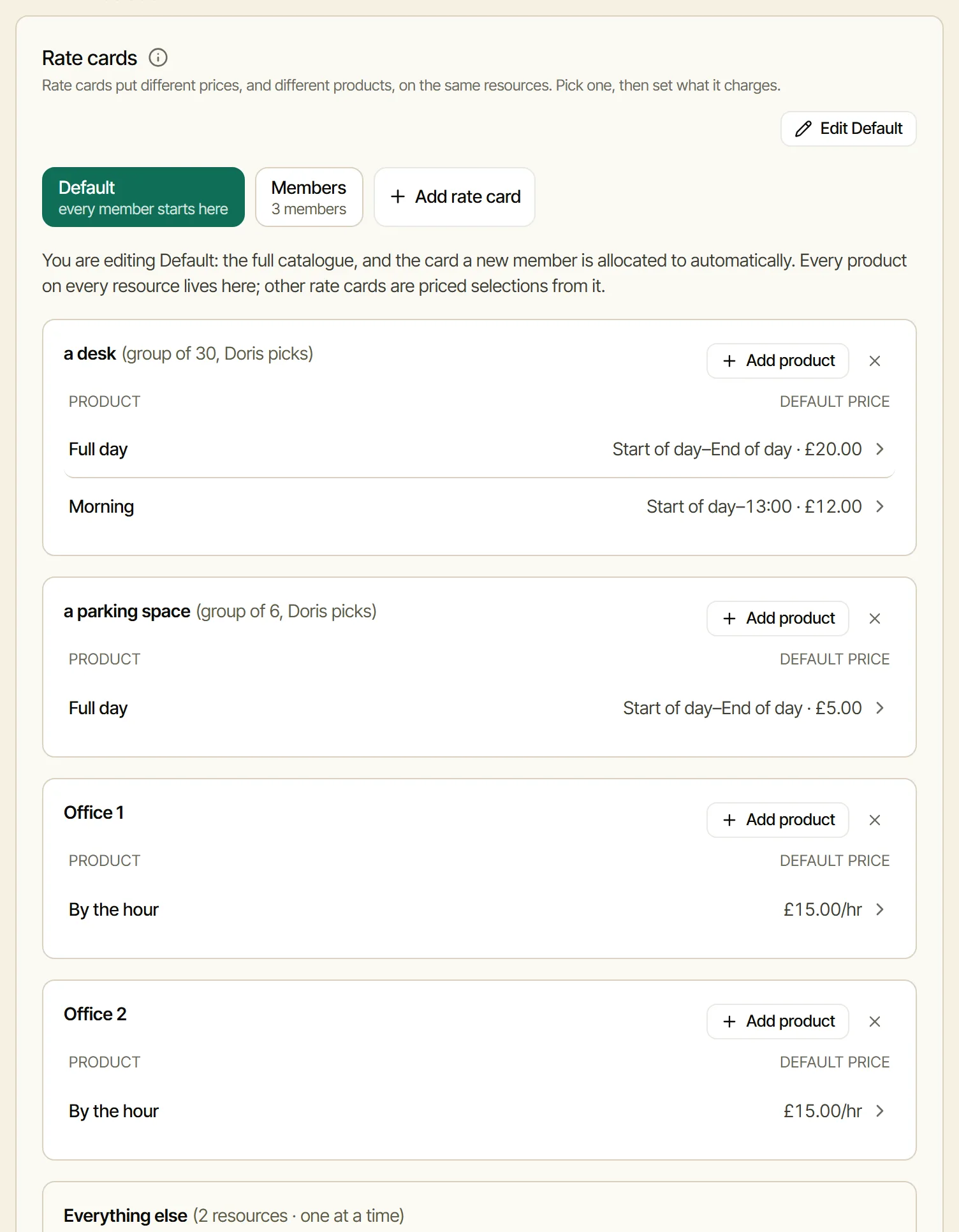
The drop-in prices, on the Default card.
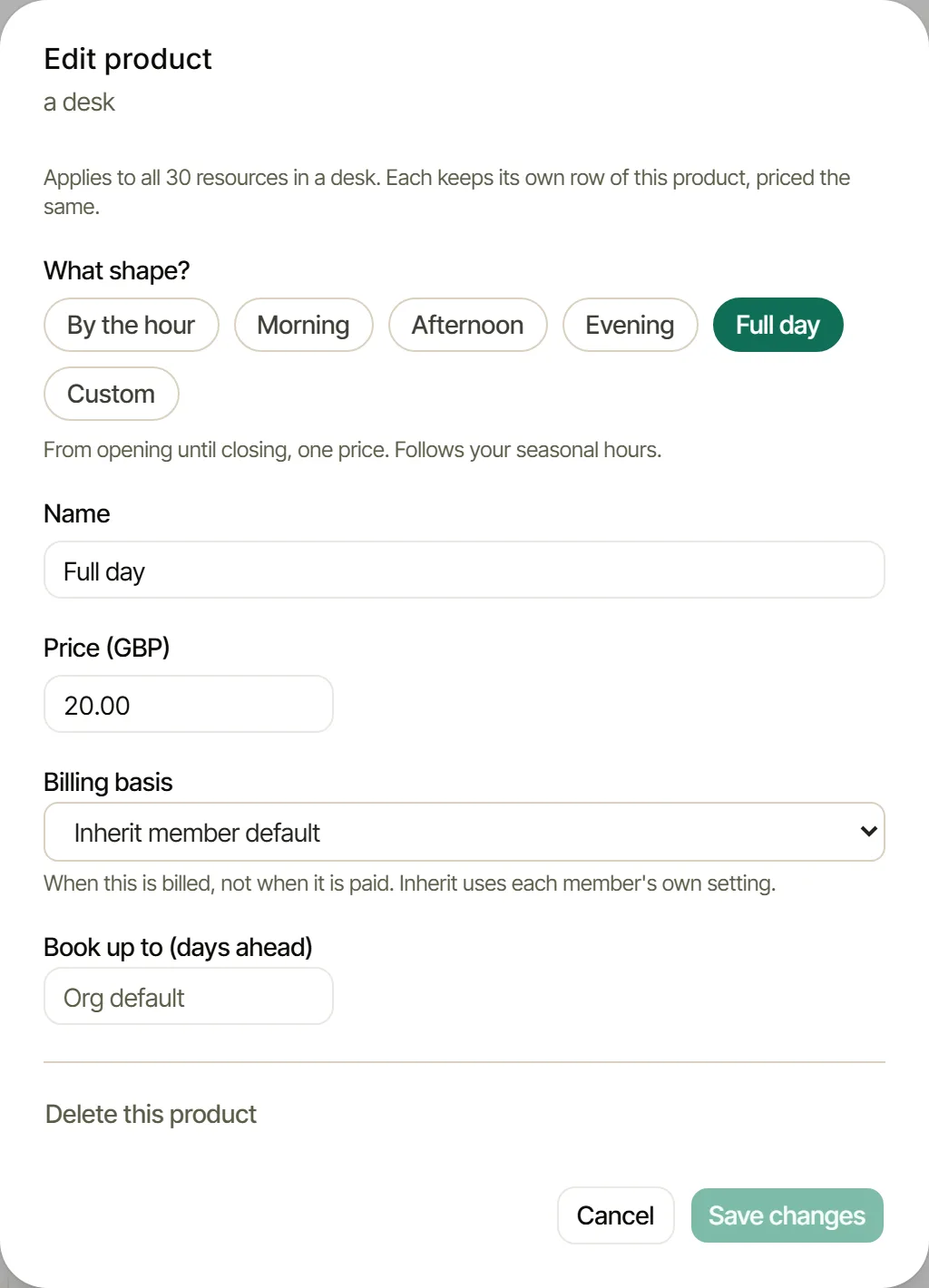
Where: Settings, Pricing, with Default chosen, Add product. On “a desk”: Full day at £20 and Morning at £12. Set once on the group, they apply to every desk. On “a parking space”: Full day at£5. On each office: By the hour at £15.
Step 5
A second price list, for members.
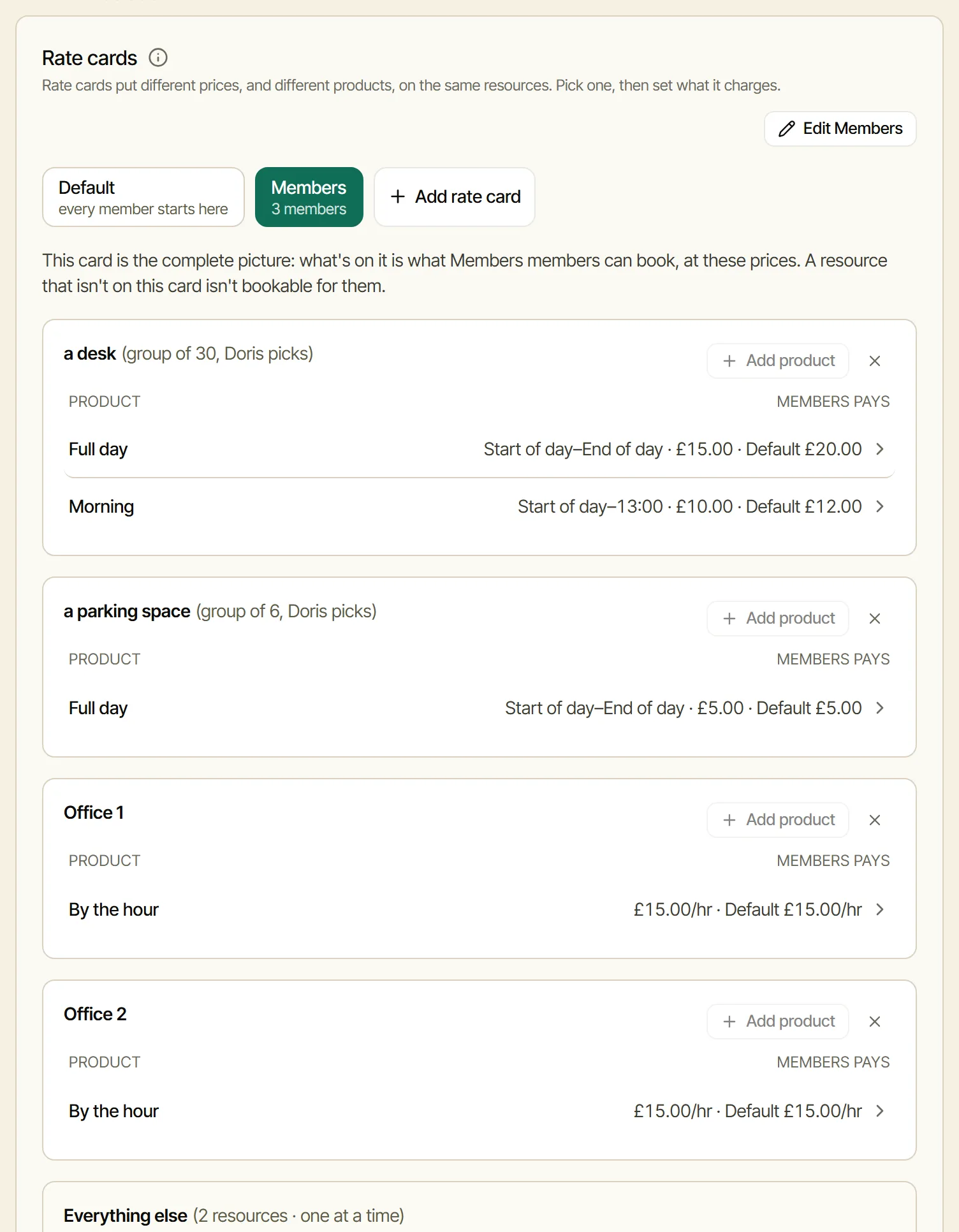
Where: Settings, Pricing, Add rate card: Members, withStart from Default on. Then on the Members card, a desk for the day is changed to£15 and a morning to £10. Everything else keeps Default’s price.
Step 6
Two plans, on the Members card.
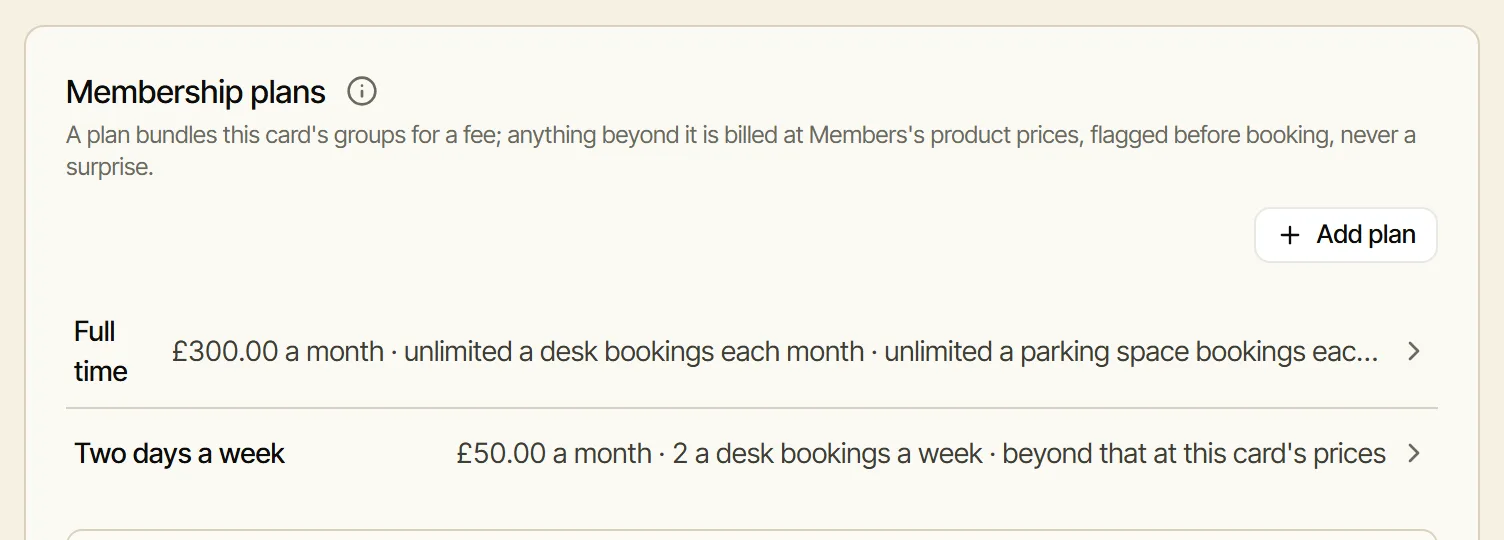
Where: on the Members card, Membership plans, Add plan.
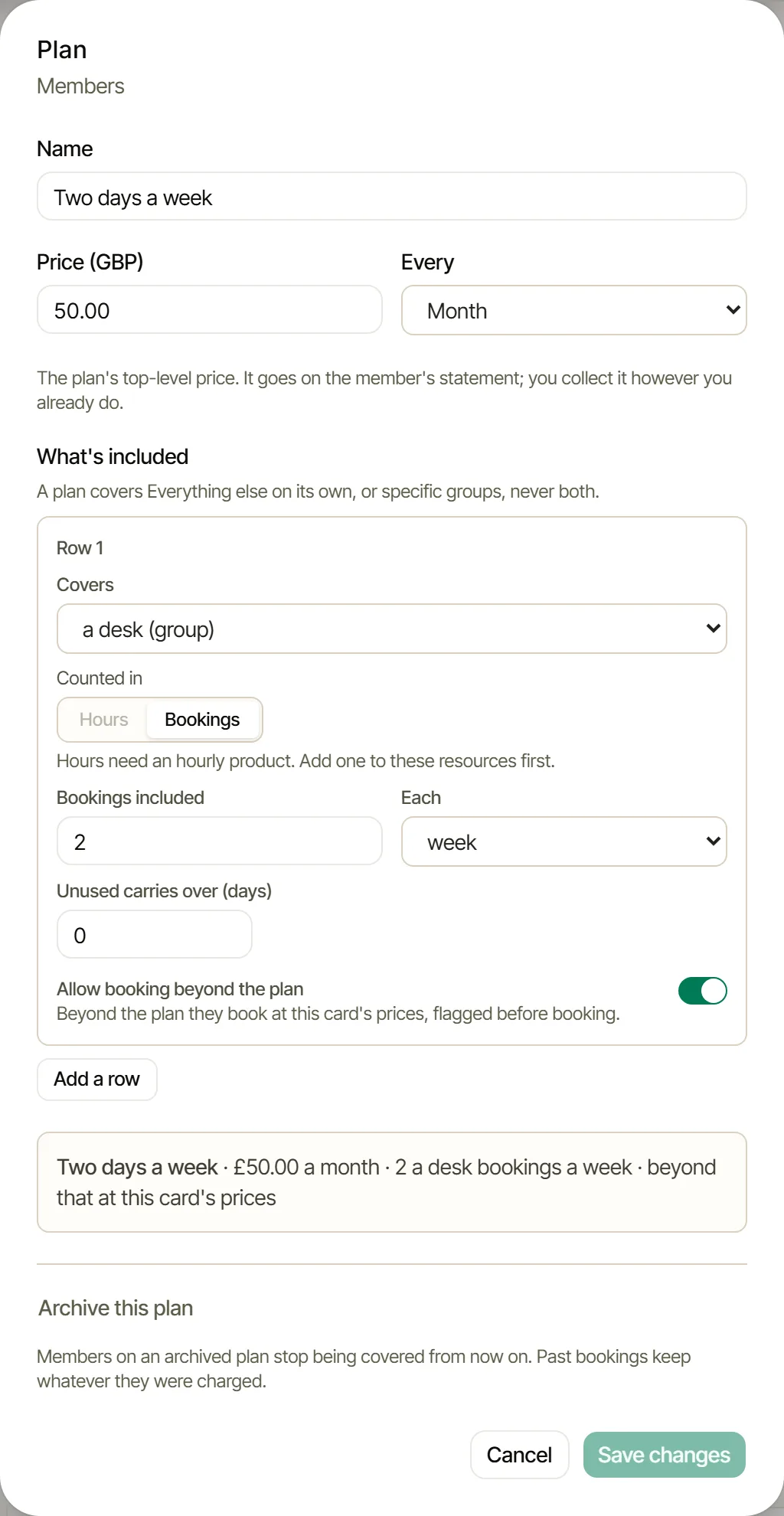
- Two days a week, £50 a month: it covers the group “a desk”, counted in bookings, 2 each week. A third day that week is charged at £15.
- Full time, £300 a month: two lines, “a desk” and “a parking space”, each with no limit. The offices are not part of it.
Step 7
Add the people who book.
Why: I need to know who is booking, so adding members is part of setting up, not something for later: until they are in, nobody can book.
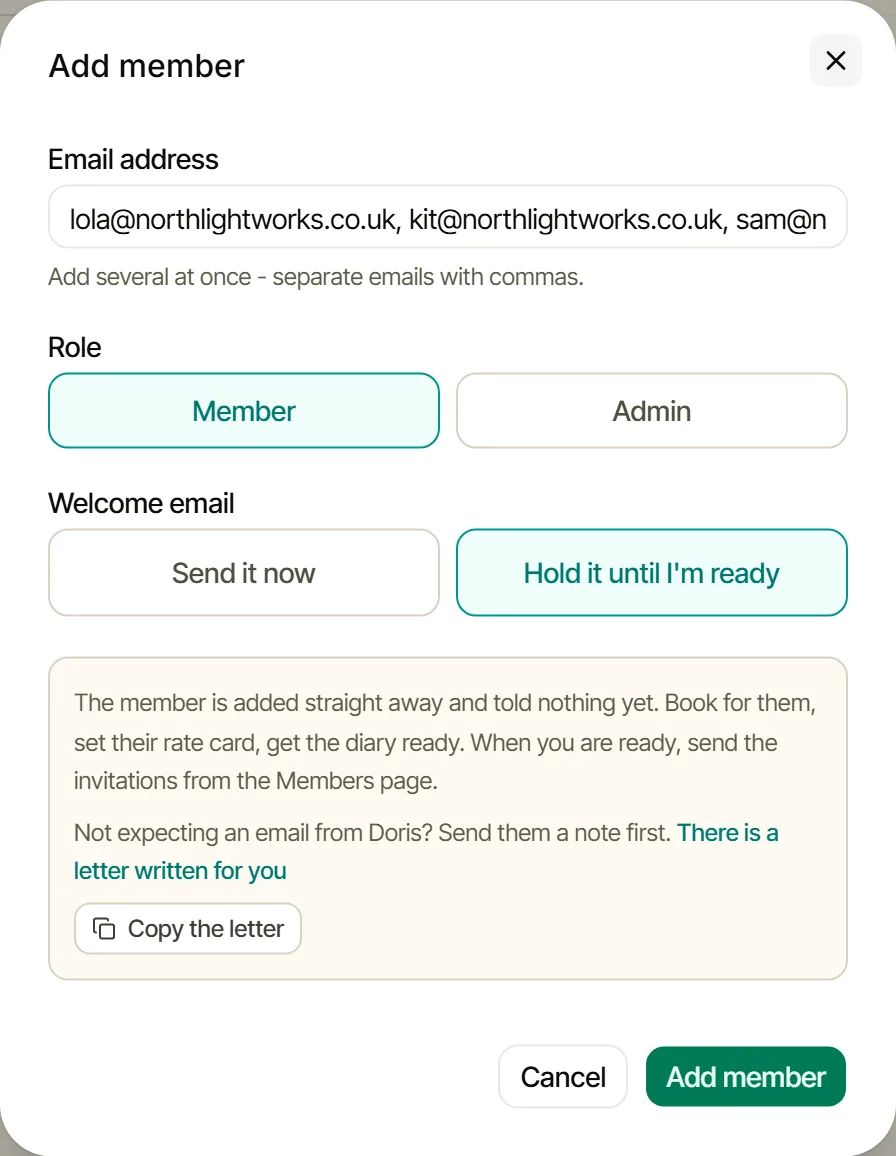
What you need: each person’s email address. Priya pastes all three at once, separated by commas.
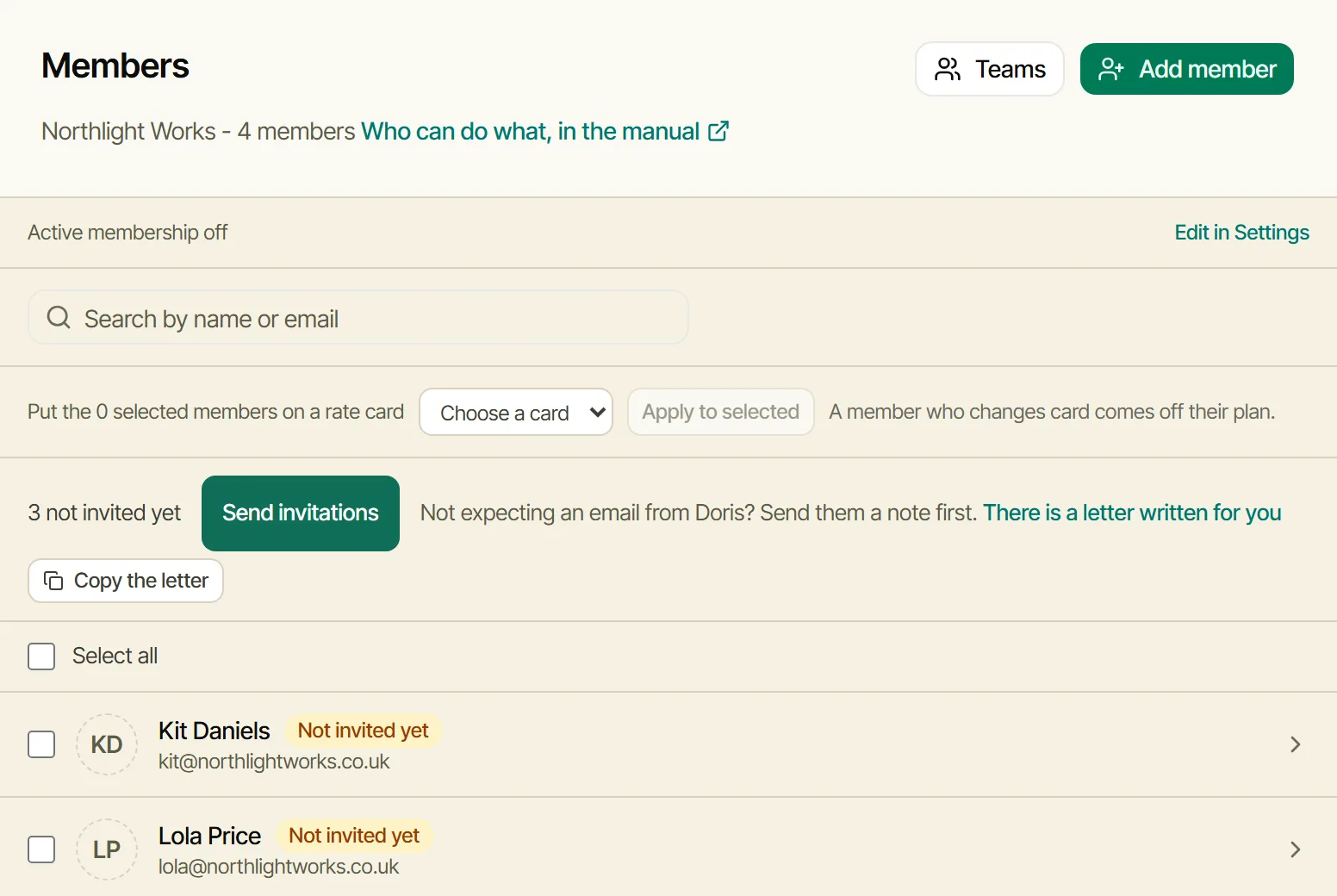
Where: the Members page, Add member, and underWelcome email, Hold it until I’m ready. They are added straight away and told nothing yet. Then she ticks them and puts them on the Members card, and gives Lola and Sam their plans on their own member pages. When she is ready, Send invitations sends their welcome emails. I never send a held email on my own. More inAdding your members (bookwithdoris.com/guides/inviting-members).
The month
What Lola, Kit and Sam pay.
| Who | Amount |
|---|---|
| Lola: two days every week, all included in her plan | £50 |
| Kit: three desk days at £15, and a day’s parking at £5 | £50 |
| Sam: full time, a desk and a space every day included, and an office for a two-hour meeting at £15 an hour | £330 |
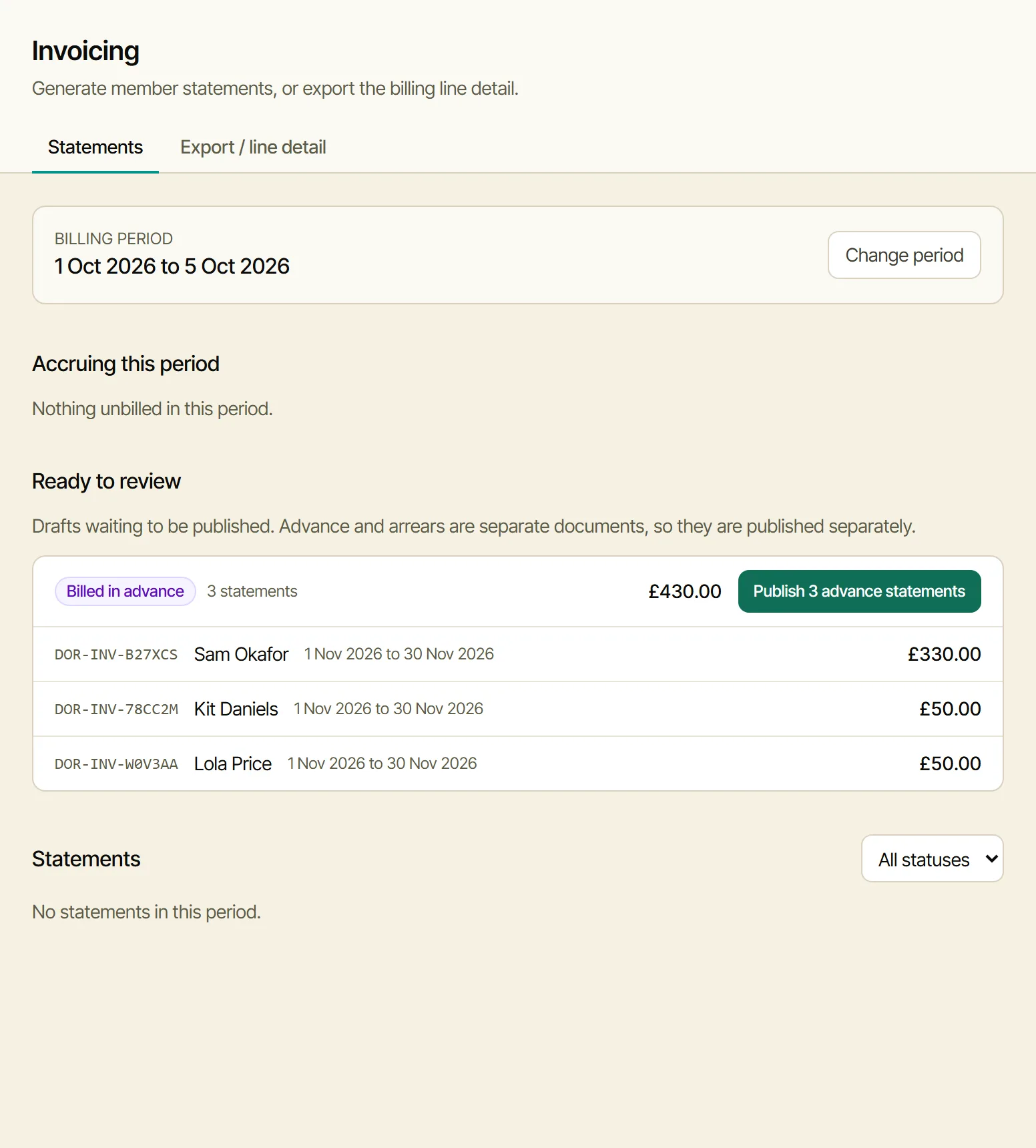
Two things Priya’s treasurer should know. Statements show no VAT line yet. And members pay by card: with Priya’s Stripe account connected, each statement carries a card pay link. Not Direct Debit. More in How billing works (bookwithdoris.com/guides/how-billing-works).