One day and one term run your billing
The statement day is when the period closes. Doris works out each member’s statement, emails it to them, and does all of that without waiting for you.
The payment terms say how long they have to pay, and that sets the due date. A new organization starts with seven days, and those days are the point of the whole arrangement: a statement that has already gone out can still be adjusted, right up until it’s due. Nobody is asked to pay a number you can’t change.
Both live in Settings, Payments, under Billing period.
If you’d rather press send yourself
Left alone, Doris sends. That is the default for every new organization, so it’s worth knowing before your first period ends.
To take the send back: in Settings, Payments, open Billing period and set Statements go out to On the billing date, then turn off Send statements automatically. Statements then wait as drafts and nothing reaches a member until you say so.
Payments is where the money lives
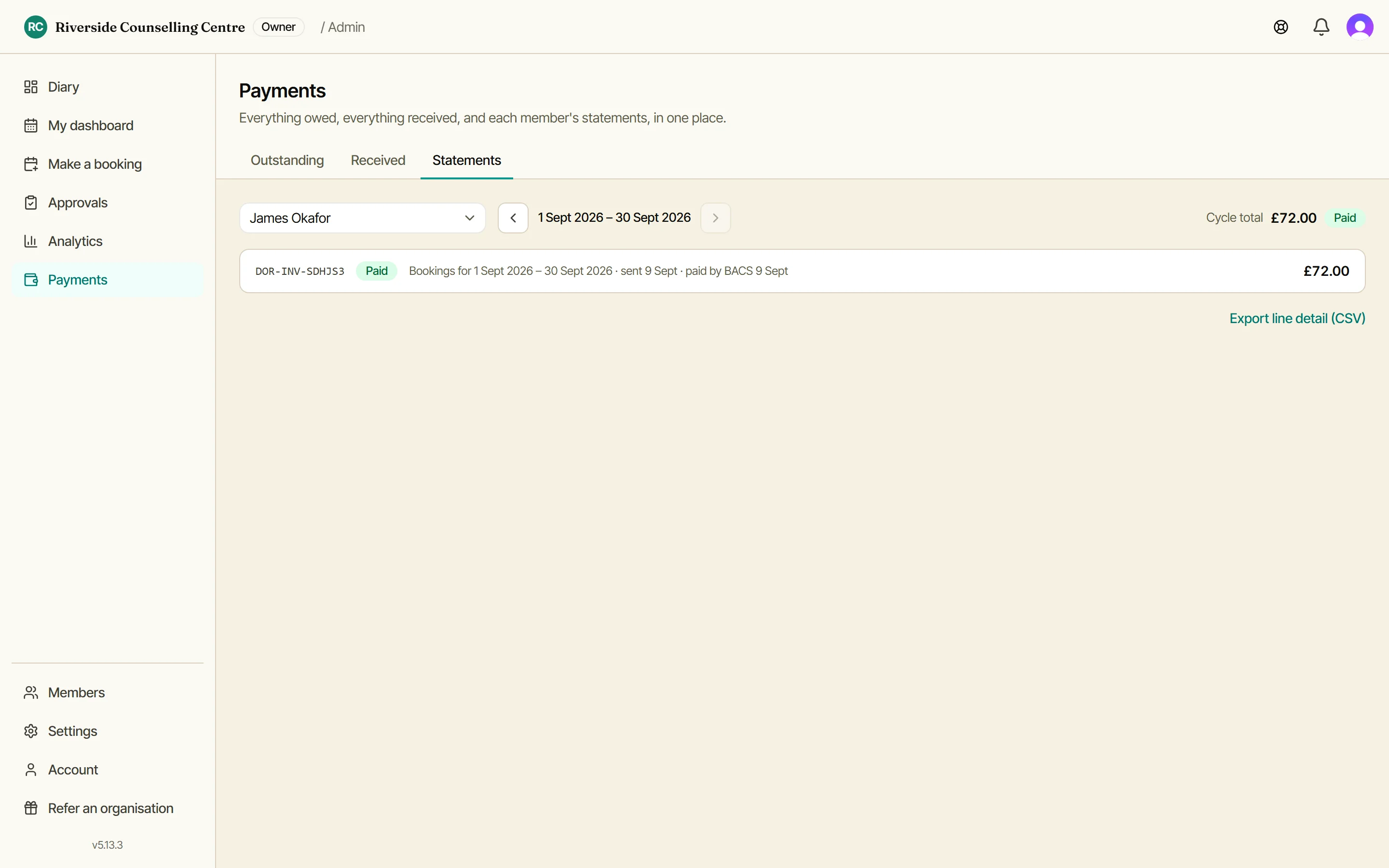
One screen, three tabs. Outstanding is everything owed, member statements and guest bookings side by side. Received is the ledger of what has come in, card payments and cash alike. Statements is each member’s own history, cycle by cycle.
It’s a desktop screen. On a phone you get Dashboard, My bookings and Account, which is the honest split: billing is a sit-down job, not a job for the door of the hall.
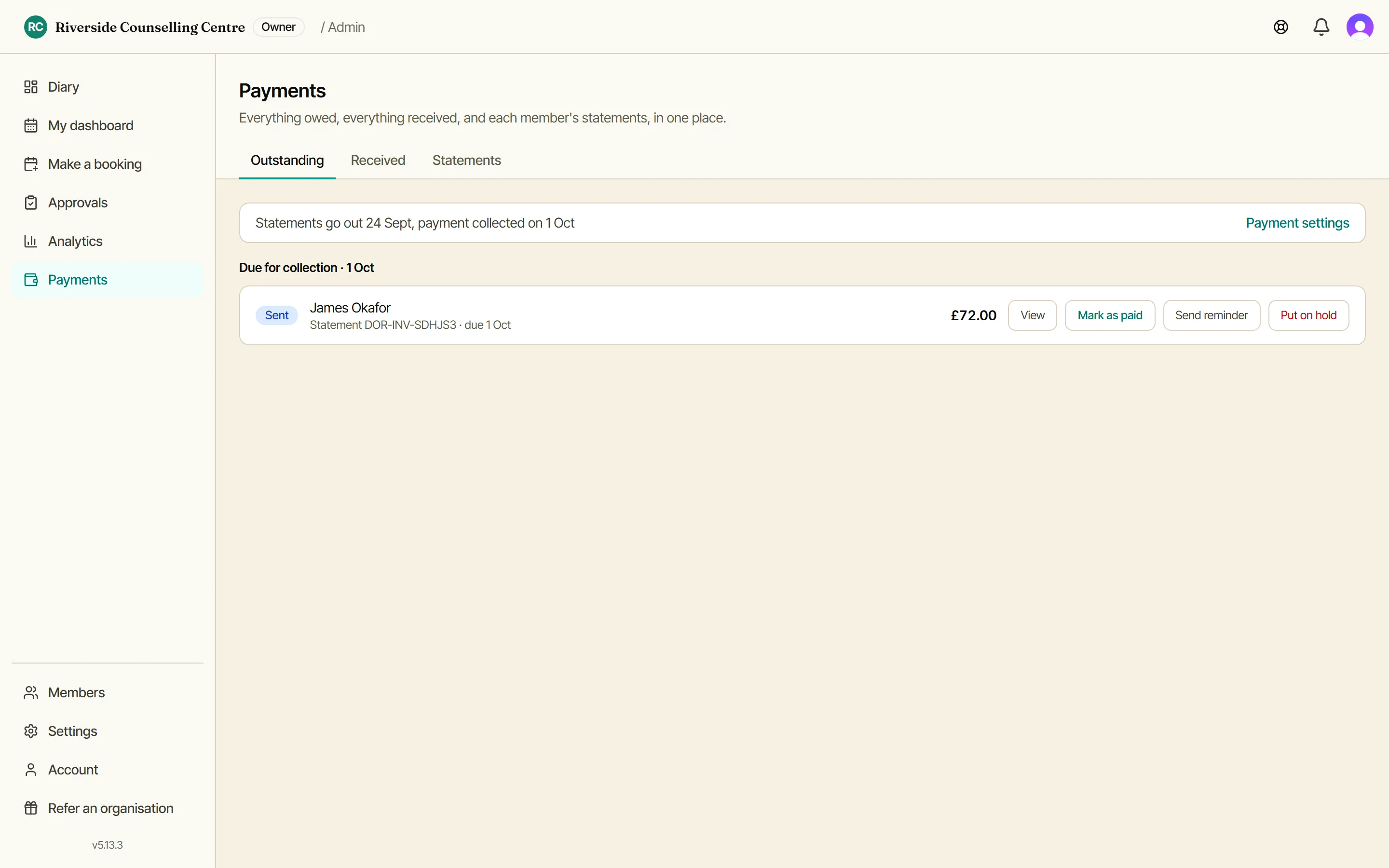
Everything that’s owed
Member statements and guest bookings in one list, anything overdue at the top, with the cycle written across the top so you know when the next lot goes out. When money arrives by bank transfer or in cash, Mark as paid records it against the row. Send reminder chases it.
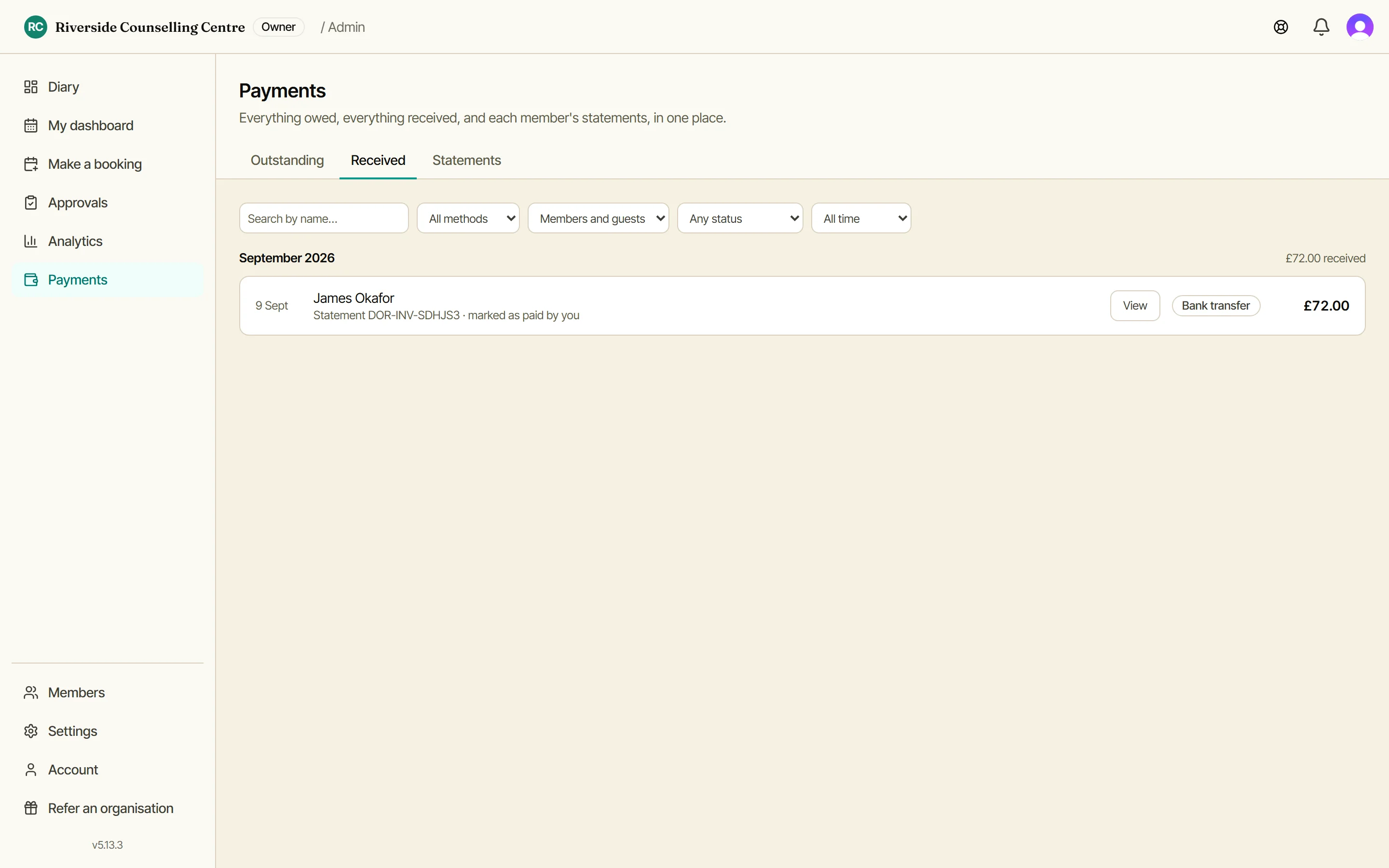
Everything that’s come in
The other side of the ledger, month by month with a total. Card payments and the ones you recorded by hand sit in the same list, each one a line rather than a status you have to infer.
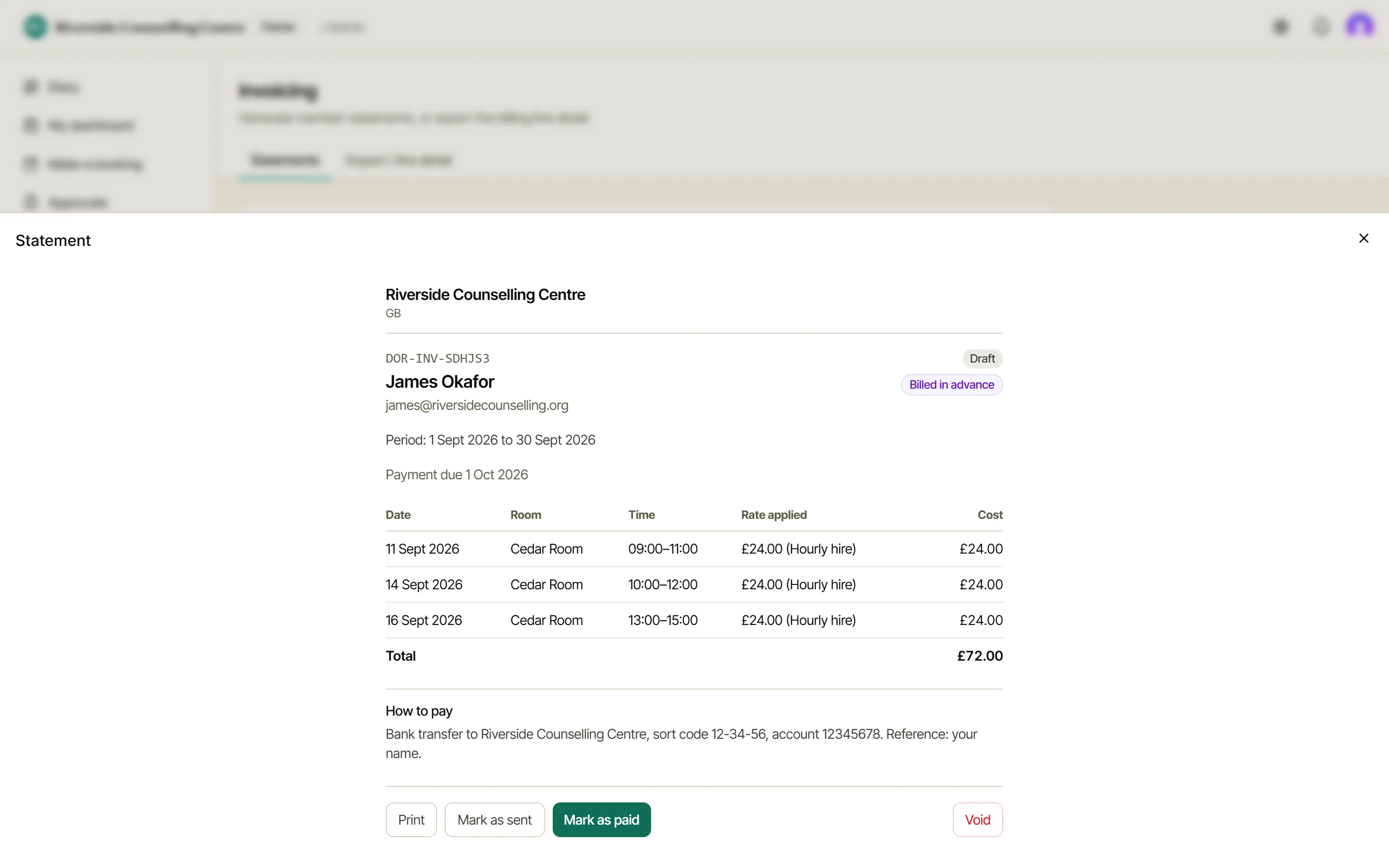
What a statement says
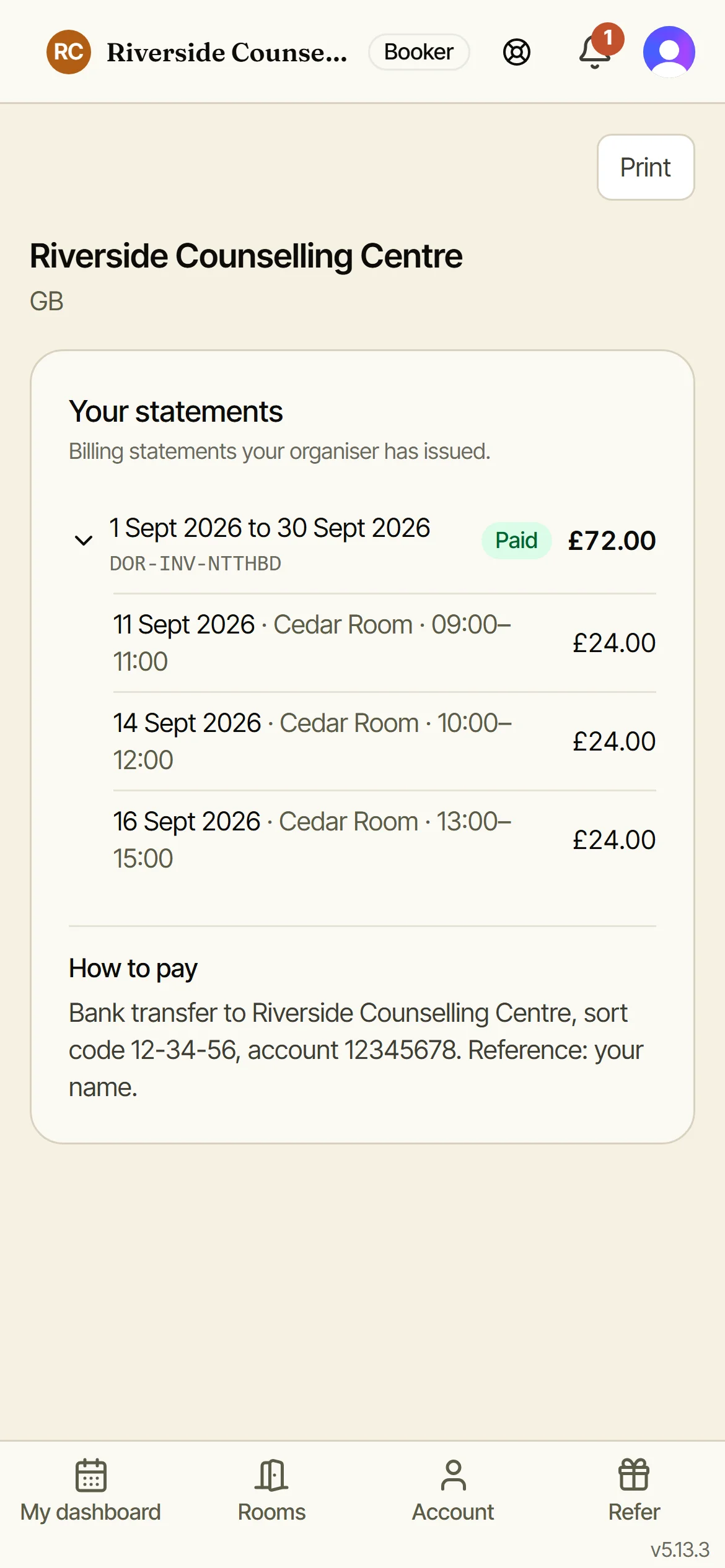
Every booking is a line, priced exactly as it was when it was booked, with your How to pay details at the bottom. What you see here is what your member sees.
One member, cycle by cycle
Pick a member and walk back through their cycles. Each one shows what it came to and opens into the documents behind it. This is where you go when someone asks about a bill from three months ago.
Paying by card
Connect a Stripe account under Settings, Payments and every statement email carries a pay link alongside your bank details. No login, no account for your member to remember.
The money settles into your own Stripe account and Doris takes no cut. Turn on Collect automatically on the same Payments screen and any member who’d rather not think about it each month can authorise their card once: from then on the due date simply collects. Everyone else keeps their pay link.
What your member sees
Members get their own statements page: every line, the total, and how to pay you.
Advance or arrears?
Some things are paid before they happen (a desk booked for next week), some after (meeting rooms totted up at the end of the month). Doris handles both.
Each price carries its own Billing basis, set where you set the price. A member with some of each gets two clean documents rather than one muddled one, and one email covering both.
The older Invoicing screen
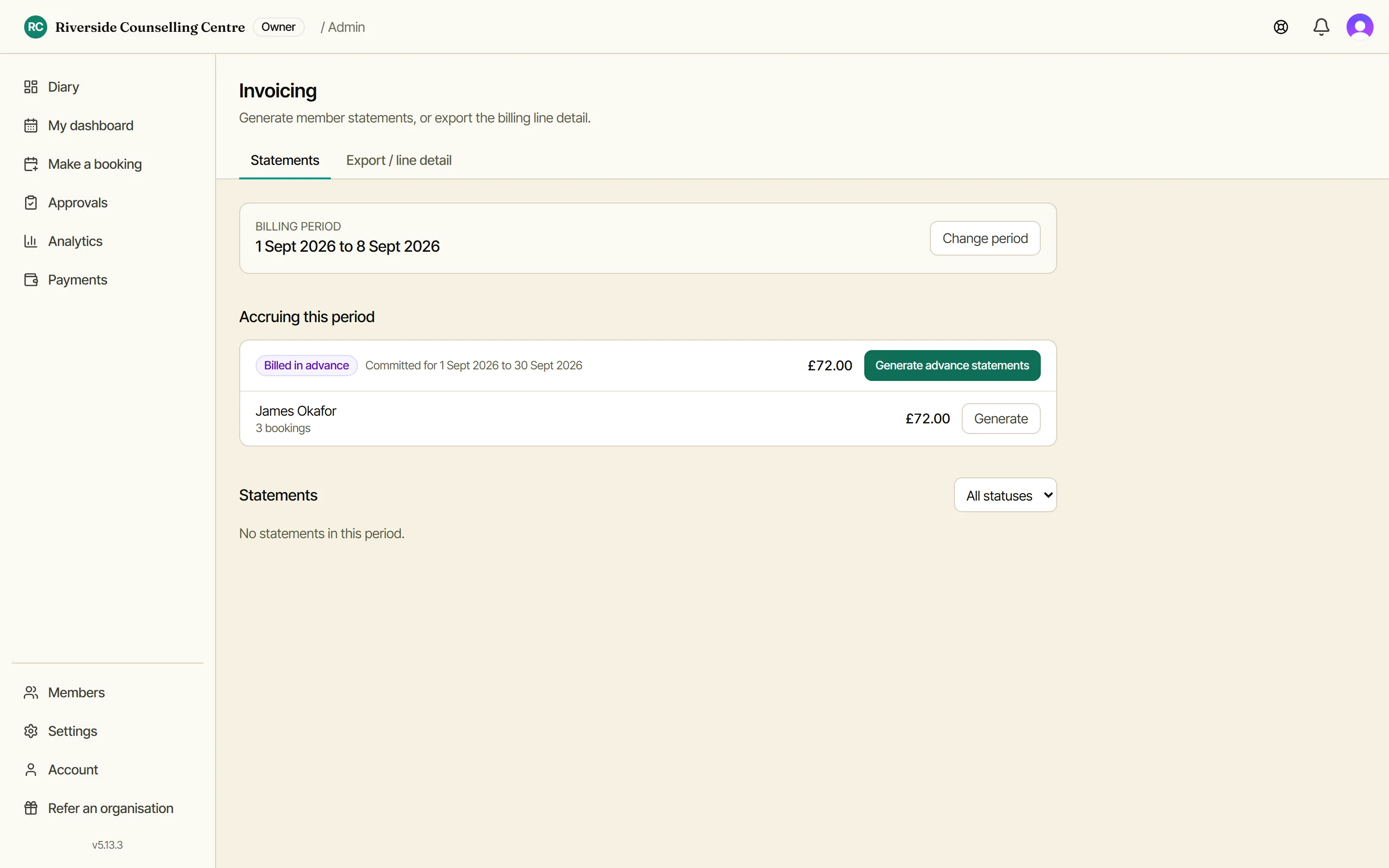
Still there behind Payments for the odd job: raising a statement by hand for someone the statement day missed, exporting the line detail, or watching charges add up mid-period. You reach it from Payments rather than the sidebar.